How do you build a go-to-market engine in Attio?
By Daniel Hull ·
You start with the data model, then layer on pipeline, automation, and reporting in that order. Getting the foundation right is what separates a CRM that drives revenue from one that collects dust.
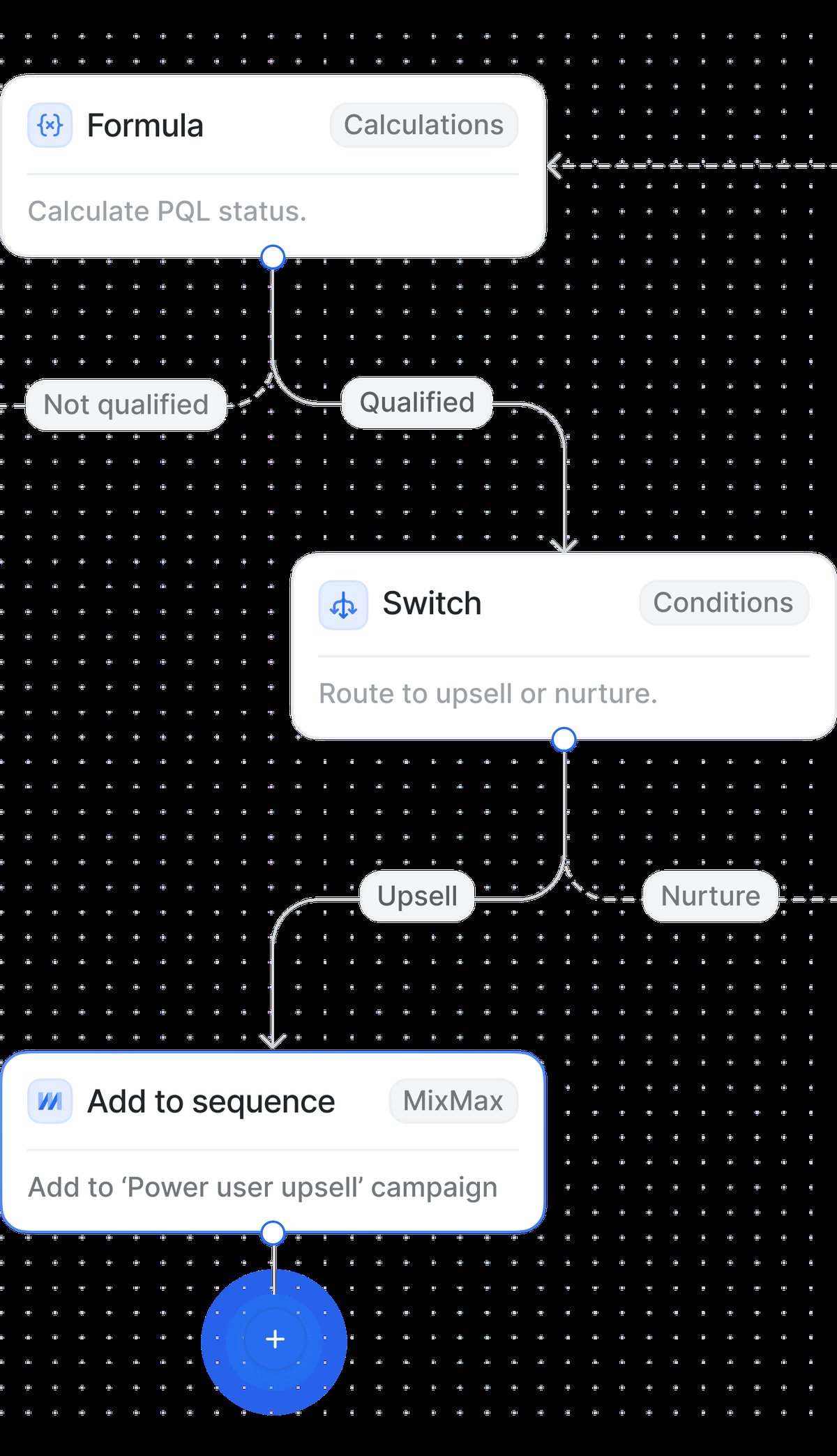 Attio's visual workflow builder connects triggers, conditions, and actions into GTM automations.
Start with the data model
The first step is getting your objects right. Attio gives you Companies and People as standard objects, but you'll want to create a custom Deals object to track your pipeline. This is your core GTM architecture: Companies represent accounts, People represent contacts, and Deals represent revenue opportunities. The way these connect is what makes everything else work.
Relationship attributes are how you tie it all together. Link your Deals object to Companies so every deal is associated with an account. Link People to Deals so you can track who's involved in each opportunity and in what role. These relationships mean you enter data once and it surfaces everywhere it's relevant, with no duplication and no sync issues.
In my experience working with 30+ Attio workspaces, the teams that spend an extra day getting their data model right save weeks of rework later. I always tell clients to sketch out their objects and relationships on a whiteboard before touching the CRM. The three questions to answer: what are the core things you track (objects), what do you need to know about each one (attributes), and how do they connect (relationships)?
A solid starting data model for most B2B companies looks like this:
- Companies with industry, employee count, website, and any enrichment data
- People with role, email, phone, and a relationship to their Company
- Deals with value, stage, close date, source, and relationships to both Company and People
If your business has additional complexity, like tracking subscriptions, projects, or partnerships, you can add those as custom objects later. But resist the urge to build everything on day one. Start lean and let the process tell you what's missing.
Build your pipeline stages
Next, add a status attribute to your Deals object for your pipeline stages. Something like "Lead - Qualified - Proposal - Negotiation - Closed Won - Closed Lost" works for most teams. This gives you a kanban view of your pipeline out of the box, and it's the backbone of your reporting later. Add a currency attribute for deal value alongside it.
The stages you choose matter more than most teams realise. Each stage should represent a meaningful change in buyer commitment, not just an internal process step. What I tell clients is that if two stages require the same action from the prospect, they should probably be one stage. A five to seven stage pipeline is the sweet spot for most teams. More than that and reps start skipping stages or guessing where deals belong.
Here's a pipeline I've used successfully with SaaS teams:
- Lead - initial interest, no qualification yet
- Discovery - first meeting booked or completed, needs identified
- Proposal - pricing or solution presented
- Negotiation - terms being discussed, procurement involved
- Closed Won - deal signed
- Closed Lost - deal did not proceed (add a "Lost Reason" select attribute here)
Each stage should have clear entry criteria that your team understands. Write these down somewhere your reps can reference. When everyone agrees on what "Discovery" means versus "Proposal," your pipeline data becomes trustworthy and your forecasting actually works.
Once your data model is solid, set up lists for segmentation. Lists let you create filtered views of your records: active pipeline, target accounts, leads by region. Think of them as saved perspectives on your data. Different teams can have their own lists while sharing the same underlying objects. You can add list-specific attributes to track context that only matters in a particular workflow without cluttering the underlying object.
Layer on automation
Then layer on workflows for automation. Start simple: a workflow that triggers when a deal moves to "Closed Won" and sends a Slack notification. Another that assigns new leads to the right rep based on territory. Workflows turn your CRM from a database into an engine that actually moves deals forward.
The automations I set up for nearly every GTM workspace fall into four categories:
Assignment workflows. When a new deal is created, route it to the right rep based on territory, deal size, or round-robin logic. This eliminates the lag between lead creation and first touch, which is where conversion rates live or die.
Stage-triggered workflows. When a deal moves to "Proposal," automatically create a task for the AE to send the proposal within 24 hours. When a deal moves to "Negotiation," notify the sales manager. When a deal moves to "Closed Won," trigger onboarding. Each stage transition should kick off the next action without anyone needing to remember.
Notification workflows. Keep your team informed without making them live in the CRM. Slack notifications for new deals, daily digest of stale deals, alerts when a high-value deal changes stage. The right notifications keep everyone aligned without creating noise.
Enrichment workflows. When a new company is added, trigger an enrichment flow through Clay or another tool to pull in firmographic data. This keeps your data rich without manual research.
The key is to start with two or three workflows and add more as your process stabilises. I've seen teams build 20 workflows in the first week and then spend the next month debugging them. Automation should follow process, not lead it.
Build reports that matter
Finally, build reports that connect to the attributes you've set up. Pipeline value by stage, conversion rates between stages, deal velocity - these all come naturally if your data model is clean. The reporting only works as well as the attributes feeding it, which is why getting the foundation right matters so much.
The reports I recommend every GTM team starts with:
Pipeline snapshot. Total value by stage, shown as a bar or funnel chart. This is your weekly leadership view. If Proposal has more value than Discovery, your team isn't prospecting enough. If Negotiation is bloated, deals are stalling.
Conversion rates. What percentage of deals move from each stage to the next? This tells you where your process breaks down. If you have a 60% conversion from Discovery to Proposal but only 20% from Proposal to Negotiation, your proposals need work.
Deal velocity. How many days does a deal spend in each stage on average? This helps you identify bottlenecks and forecast more accurately. If your average deal spends 45 days in Discovery, you know a deal that's been there for 60 days needs attention.
Rep performance. Pipeline value, deals created, deals won, and average deal size per rep. Use calculated attributes to roll up these numbers automatically.
Source attribution. Where are your deals coming from? Track a "Source" select attribute on deals (inbound, outbound, referral, event, partner) and report on conversion rates and deal values by source. This tells you where to invest.
What I see teams get wrong
After building GTM engines in Attio for dozens of companies, the same mistakes keep showing up:
Building the CRM around the tool instead of the process. Your CRM should reflect how your team actually sells, not how Attio's default setup looks. Start by mapping your sales process on paper, then configure Attio to match.
Too many attributes on day one. Every attribute you add is a field someone has to fill in. Start with the minimum viable set and add more only when the team asks for them. Five well-maintained attributes are worth more than thirty that are half-empty.
No clear ownership of CRM hygiene. Someone needs to own data quality. That means regular audits of empty fields, stale deals, and duplicate records. In my experience, the best teams review CRM health weekly, not monthly. Attio makes this easier with duplicate detection and list-based views of data gaps.
Skipping the enrichment layer. Manual data entry is where CRM adoption dies. If reps have to research and type in company size, industry, and website for every new account, they won't do it. Set up enrichment early, whether through Clay, Clearbit, or another tool, so the CRM fills itself in.
Treating the CRM as a reporting tool instead of a workflow tool. The biggest shift I help clients make is moving from "we use the CRM to track what happened" to "the CRM tells us what to do next." Stage-triggered automations, task creation, and notifications are what make this shift real.
Connecting your GTM stack
The principle I use with clients is that Attio should be the single source of truth for your GTM motion. If a piece of data matters for selling, it lives in Attio. Everything else, including enrichment tools, outreach platforms, and analytics, feeds into or pulls from the CRM, not the other way around.
In practice, a well-connected GTM stack usually looks like this:
- Enrichment (Clay, Clearbit) writes firmographic and contact data into Attio
- Outreach (email sequences in Attio) sends directly from the CRM, keeping activity on the record timeline
- Conversations (Slack, email) sync into Attio so every interaction is captured
- Product data (connected via API or webhook) shows usage signals on account records
- Reporting built natively in Attio, pulling from clean, enriched attributes
When the CRM sits at the centre and everything flows through it, your team gets a complete picture of every account without switching tools. That's the GTM engine. It's not a single feature or workflow. It's the architecture that makes all of those features useful.
If you're designing your workspace from scratch, my guide on how to design your Attio data model goes deeper on the foundational decisions. And if you're coming from another CRM, the HubSpot to Attio migration guide covers what to watch for during the transition.