How do you automate deal routing with Attio workflows?
By Daniel Hull ·
You build it with workflows. Attio's workflow builder lets you trigger on record creation or status changes, run conditions against the record's attributes, and then take an action, like updating the owner field. That's your routing logic, and it means no one has to manually assign deals.
Setting up trigger-based routing
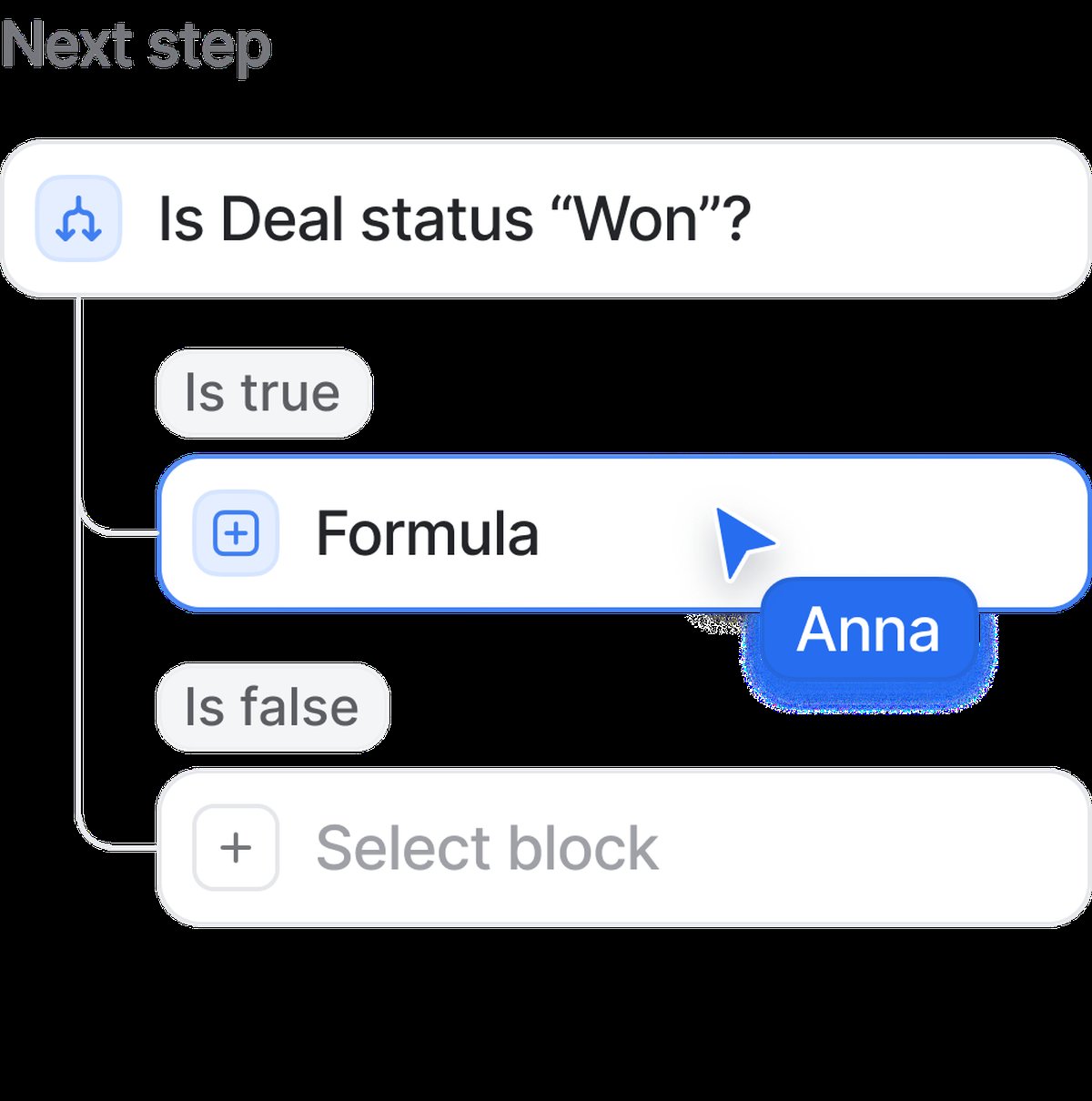 Condition blocks in Attio workflows route deals based on status, value, or custom attributes.
The most common pattern I set up for clients is trigger-on-create routing. When a new deal record is created (or when a record enters a specific stage on the pipeline), a workflow fires. From there, you use condition blocks to decide where it goes. Attio gives you three flavors: filters, if/else, and switch blocks. Switch is the one you want for routing. It lets you branch into multiple paths based on a single attribute, which maps cleanly to territory or segment-based assignment.
Before you build anything, document your routing rules on paper. This sounds obvious, but I've worked with teams who jump straight into the workflow builder and end up with tangled logic that nobody can debug. Write down: "If the deal is in EMEA, assign to Sarah. If it's in North America and over $50k, assign to Mike. If it's in North America and under $50k, assign to the SDR team." Then translate that directly into workflow blocks.
The trigger you choose matters. For most teams, "Record created" on the Deals object is the right starting point. But some teams want routing to happen when a lead qualifies rather than when it's first created. In that case, trigger on a status change (for example, when the deal moves from "Lead" to "Qualified" in your pipeline). This gives you time to enrich the deal with territory and segment data before routing kicks in.
Routing by territory
For territory routing, you'd use a select attribute on the deal (something like "Region") and a switch block that sends each region down its own path. Each path ends with an "Update record" action that sets the owner to the right rep. Simple, readable, and easy to adjust when territories change.
Here's the step-by-step setup:
- Add a "Region" select attribute to your Deals object with options matching your territories (North America, EMEA, APAC, or whatever your breakdown is)
- Create a workflow with a "Record created" trigger on Deals
- Add a switch block on the "Region" attribute
- For each branch, add an "Update record" action that sets the "Owner" field to the corresponding rep
When territories change (and they always do), you update one workflow instead of retraining the team on manual processes. This is also easier to audit. If a deal gets routed to the wrong person, you can look at the workflow run history and see exactly which branch fired and why.
For companies with more complex territory models, you might need to route based on a combination of attributes. Region plus industry, or region plus company size. In this case, nest your conditions: first branch on region, then within each region branch, add an if/else on the secondary attribute. Keep it to two levels of nesting at most. If you need more than that, your territory model is probably too complicated for workflow-based routing and you should simplify the territories themselves.
Routing by deal size
For deal-size routing, same idea but using a currency attribute. Set up an if/else block: if the deal value is above a threshold, assign to a senior rep. Below it, route to the standard team. You can nest these conditions to create tiered assignment: small deals to SDRs, mid-market to AEs, enterprise to senior AEs.
A tiered routing setup might look like this:
- Under $10k - route to SMB team (round-robin among 3 reps)
- $10k to $50k - route to Mid-Market AE based on territory
- Over $50k - route to Enterprise AE and notify sales manager via Slack
The deal-size thresholds should align with your sales team structure. If your SDRs handle everything under $25k and AEs handle everything above, use $25k as your breakpoint. Don't create artificial tiers just because you can. Each tier adds a branch to your workflow and a potential point of confusion.
One pattern I use for high-value deals: in addition to setting the owner, add a second action that creates a task for the sales manager to review the deal within 24 hours. This gives leadership visibility into big opportunities without requiring them to monitor the pipeline constantly.
Routing by lead source or product interest
Beyond territory and deal size, other routing criteria can be just as effective:
Lead source routing. Inbound leads from your website go to one team, partner-referred deals go to a dedicated partner manager, and event leads go to the rep who worked the event. Use a "Source" select attribute on deals and a switch block in your workflow.
Product line routing. If your company sells multiple products, route based on which product the prospect is interested in. This ensures deals go to reps who specialize in that product and can speak to it knowledgeably.
Account-based routing. If a new deal comes from a company that already has an existing customer relationship, route it to the rep who owns that account. This requires a lookup through relationship attributes to check the linked company's existing owner, which you can do with a condition block in the workflow.
Round-robin and balanced assignment
Round-robin is slightly more manual to implement in Attio compared to purpose-built tools. The practical approach I use is a calculated or formula-based mechanism outside the workflow that tracks assignment counts, then reference that in your routing logic. It's not as clean as a native round-robin block, but it works and keeps assignment balanced. If you're using calculated attributes, they can help track assignment counts automatically.
Here's a practical approach to balanced assignment that works well:
- Create a rollup attribute on workspace members (or a custom Reps object) that counts their open deals
- In your routing workflow, use condition blocks to check these counts
- Route new deals to the rep with the fewest open deals
This isn't true round-robin (it's load-based), but in practice it produces better results because it accounts for deal closures and reps being out of office. A rep who just closed three deals will naturally get the next few assignments, while a rep with a full plate won't get piled on further.
For teams that need strict round-robin (for compliance or fairness reasons), the simplest approach is a manual tracking system: a shared list that tracks "last assigned" per rep, with the workflow routing to whoever is next in the rotation. It requires a bit more maintenance, but it guarantees equal distribution.
Adding notifications to your routing
One thing worth adding to any routing workflow: a Slack notification action after assignment. Attio's Slack integration lets you send a message to a channel or DM when a deal gets routed, so the new owner knows immediately. This removes the lag between assignment and first touch, which is where a lot of deals stall.
The notification should include the key context the rep needs: deal name, company, value, and source. Attio's workflow builder lets you insert record attributes into the Slack message body, so the rep gets a rich notification instead of just "You've been assigned a new deal."
I also recommend a separate notification for deals that don't match any routing rule. Add a "default" path in your switch block that notifies a sales manager or ops person. This catches edge cases, like deals with no region set, or deals from a territory that doesn't have an assigned rep yet. Without this safety net, unrouted deals sit in limbo.
Testing and iterating on your routing
Before you turn on a routing workflow, test it with a few sample records. Create deals with different attribute combinations and verify they route correctly. Check the workflow run history to see which branches fired. This is much easier than debugging after 50 real deals have been misrouted.
After launch, review routing accuracy weekly for the first month. Look for:
- Deals that were manually reassigned after routing (a sign the logic is wrong)
- Deals that hit the default/fallback path (a sign your attribute coverage has gaps)
- Reps with significantly more or fewer deals than expected (a sign your balancing needs work)
What I see teams get wrong
Building complex routing before the data is clean. If your deals don't consistently have a region, deal size, or source filled in, your routing workflow will misfire constantly. Use required attributes or enrichment workflows to ensure the routing attributes are populated before the routing workflow fires.
Too many routing rules. If you have more than three levels of conditions, your routing is too complex. Simplify your territories or team structure instead of adding more branches to the workflow. Complex routing workflows break silently and are painful to update when org changes happen.
Not handling the edge cases. Every routing workflow needs a fallback. What happens when a deal doesn't match any rule? What happens when the assigned rep is on leave? Build these paths explicitly rather than assuming they won't happen.
Routing without follow-through. Assignment is only the first step. The best routing setups I've built also include a task creation action (to prompt the rep to make first contact within a defined SLA) and a stale-deal alert if no activity happens within 48 hours.
The key principle is to keep your routing logic shallow. Two or three conditions max. If you're building a workflow with eight nested branches, that's a sign your deal segmentation needs simplifying, not your automation needs more complexity. For a broader view of how routing fits into your overall CRM motion, see how to build a go-to-market engine in Attio. And if you're pairing routing with lead qualification, setting up lead scoring can help prioritise which routed deals get attention first. For teams scaling past 50 users, routing complexity tends to increase, and I cover strategies for managing that in what your Attio workspace should look like at 50 users.