What should you expect when moving from Salesforce to Attio?
By Daniel Hull ·
This is for teams who've outgrown Salesforce's complexity, not its features. If you're drowning in admin overhead, paying for seats nobody uses, and your reps spend more time fighting the system than selling, Attio is worth a serious look. But go in with clear expectations about what changes.
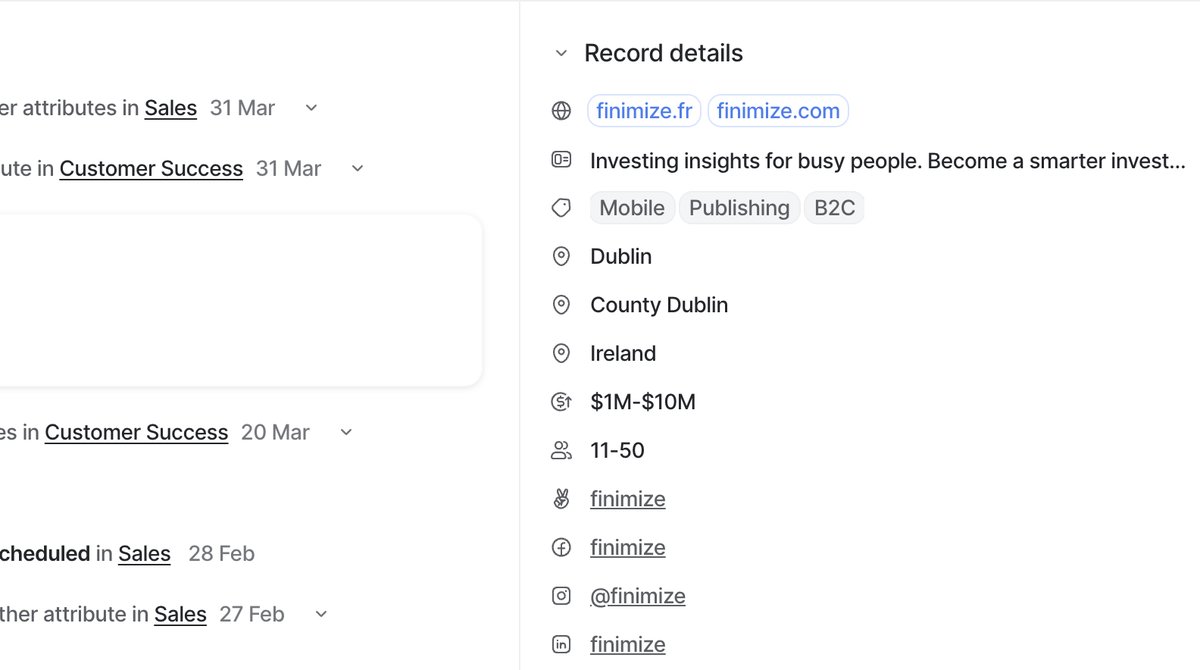 Mapping Salesforce objects and fields to Attio's data model during migration is where the real design work happens.
What you gain
Speed and simplicity, immediately. Attio loads fast, the UI is clean, and creating a custom object takes minutes instead of a Salesforce admin sprint. Relationship attributes replace lookup fields and junction objects with something that actually makes sense to non-technical users. Your team can modify the workspace themselves without filing a ticket.
The data model is more intuitive. Salesforce's object hierarchy -- Accounts, Contacts, Opportunities, plus whatever custom objects you've bolted on -- maps to Attio's Companies, People, and custom objects like Deals. But in Attio, the structure is visible and editable by anyone on the team. No page layouts, no record types, no permission sets just to add a field.
Workflows in Attio replace a combination of Salesforce Flow, Process Builder, and Workflow Rules. One visual builder instead of three. For most teams, this covers 80% of what their Salesforce automations were doing with a fraction of the complexity.
Enrichment is another area where Attio saves significant effort. Salesforce requires third-party tools (ZoomInfo, Clearbit, etc.) to enrich records with company data. Attio enriches records automatically when you add a domain. Industry, employee count, revenue estimates, social profiles -- all populated without a separate subscription or integration. This is not a small thing. For a 20-person sales team, the cost savings on data enrichment tools alone can offset a meaningful portion of the CRM switch.
What you lose
The AppExchange ecosystem. Salesforce has thousands of native integrations and third-party apps. Attio's integration landscape is growing but doesn't match that breadth yet. If you depend on specific AppExchange packages -- CPQ tools, territory management, compliance add-ons -- verify that Attio alternatives exist before committing.
Complex workflow rules and approval chains. If your Salesforce org has multi-step approval processes, sophisticated validation rules, or deeply nested automation flows, Attio's workflow engine is simpler by design. That's a feature for most teams, but it's a real limitation if your business process genuinely requires that complexity.
Advanced reporting. Salesforce's reporting and dashboard engine is more mature. Attio's reporting handles pipeline analytics, conversion metrics, and standard dashboards well, but if your team relies on joined reports, cross-object formulas, or custom report types, plan for some adjustment.
Granular permissions and compliance features. Salesforce's permission model supports field-level security, sharing rules, org-wide defaults, and role hierarchies. Attio's permissions are simpler and sufficient for most teams, but if you are in a regulated industry with specific compliance requirements around data access, evaluate this carefully before migrating.
Offline access and mobile depth. Salesforce's mobile app is mature with offline capabilities. Depending on your team's field work needs, this could be a factor.
Mapping Salesforce objects to Attio
The object mapping is the foundation of your migration, and getting it right prevents most downstream problems. Here is how the standard Salesforce objects typically translate:
Accounts become Companies. This is the most straightforward mapping. Salesforce Account fields map to Attio Company attributes. The domain field in Attio serves as the unique identifier, similar to how the Website field works in Salesforce (but with better deduplication support). Make sure every Account has a domain before importing.
Contacts become People. Map Salesforce Contact fields to Attio People attributes. Email serves as the unique identifier. The Account-Contact relationship in Salesforce maps to a relationship attribute linking People to Companies in Attio.
Opportunities become a custom Deals object. Create a Deals object with a pipeline status attribute that mirrors your Salesforce Opportunity stages (after you clean them up). Add a currency attribute for deal value, a close date, and relationship attributes linking each Deal to a Company and the relevant People.
Leads are where you need to make a decision. Salesforce separates Leads and Contacts, which creates the infamous "Lead Conversion" workflow. Attio does not have a separate Lead object. Most teams I work with prefer this. Leads in Attio are simply People records at an early stage of the pipeline. You can use a select attribute or a list to distinguish between prospects and customers, but the person record is the same throughout the lifecycle.
Custom Objects require case-by-case evaluation. Some should become custom objects in Attio with their own attributes and relationships. Others were workarounds for Salesforce limitations and do not need to exist in Attio. For each custom object, ask: does this entity have its own lifecycle and its own set of attributes that are distinct from Companies, People, or Deals? If yes, create a custom object. If no, consider whether the data belongs as attributes on an existing object or as a list.
The migration process
Do not replicate your Salesforce org inside Attio. This is the single most important piece of advice. Most Salesforce orgs are carrying years of accumulated cruft: unused fields, deprecated automations, record types nobody remembers creating. A migration is your chance to start clean.
Here is the process I recommend:
Phase 1: Audit and design (Week 1). Export your Salesforce schema. List every object, field, and automation. Categorize each as: keep (maps to Attio), redesign (needs rethinking), or drop (unused or unnecessary). Design your Attio workspace on paper before building anything. Decide your objects, attributes, and lists.
Phase 2: Build the workspace (Week 1-2). Create your objects, attributes, and lists in Attio. Set up your pipeline stages. Configure your relationship attributes. Do not import data yet. Get the structure right first.
Phase 3: Clean and export data (Week 2). Export your Salesforce data. Clean it before importing: remove records older than your retention threshold, deduplicate using domains and emails, standardize field values, and drop records missing identifiers. This is the most tedious step and the most important one.
Phase 4: Import and validate (Week 2-3). Import Companies first, then People, then Deals. After each import, validate: check record counts, spot-check attribute values, verify relationships are linking correctly. Fix issues before importing the next object. Notes and activities come last.
Phase 5: Build automations (Week 3). Now that your data is in Attio, build your workflows. Start with the automations that support your core sales process: deal routing, Slack notifications, and stage-change tasks. Add more as needed.
Phase 6: Parallel run and cutover (Week 3-4). Run both systems for one to two weeks. Reps work primarily in Attio during this period, with Salesforce available as a reference. Monitor for data issues, workflow gaps, and process questions. When the team is comfortable, decommission Salesforce.
Common mistakes in Salesforce migrations
Migrating every field. A typical Salesforce org has hundreds of custom fields, many of which are unused. Do not recreate them all in Attio. For each field, check: is it populated on more than 20% of records? Has anyone looked at this field in the last quarter? Does it drive a report, automation, or decision? If the answer to all three is no, leave it behind.
Migrating all historical records. You do not need five years of closed-lost opportunities in your new CRM. Bring over active pipeline, customers, and key relationships. Archive everything else in a spreadsheet export. Your new CRM is for working deals and active relationships, not historical records that nobody references.
Trying to replicate Salesforce automations exactly. Your Salesforce automations were built to work around Salesforce's constraints. Attio has different constraints and different strengths. Rebuild your automations based on what you need the outcome to be, not how Salesforce achieved it. A three-step Salesforce Flow that updates a field, sends an email, and creates a task might be a single Attio workflow trigger.
Not involving the team early enough. A CRM migration that happens to a sales team rather than with them will fail. Involve your reps in the workspace design. Show them the new pipeline. Get their input on which attributes matter. When people help build the system, they adopt it. When it is imposed on them, they resist.
Skipping the parallel run. Going from Salesforce to Attio overnight is risky. Issues that seem minor in testing (a missing field, a workflow that does not trigger correctly, a report that looks different than expected) become blockers in production. A one-to-two-week parallel run catches these issues while you still have Salesforce as a fallback.
After the migration
The first month after cutting over from Salesforce is where the migration succeeds or fails. Plan for it.
Week 1: Active support. Expect questions. Reps who used Salesforce for years will need help finding their way around Attio. Designate a go-to person for CRM questions. Hold a daily 15-minute standup during the first week where people can raise issues and get answers.
Week 2-3: Process refinement. You will discover workflows that need adjustment, attributes that need renaming, and list views that need tweaking. This is normal. Attio's flexibility means these changes take minutes, not Salesforce admin sprints. Make adjustments quickly based on real usage feedback.
Week 4: Review and optimize. After a month, review your reports and dashboards. Are they showing the data leadership needs? Are reps actually updating deal stages and values? If adoption is lagging in specific areas, investigate whether the issue is process, training, or workspace design.
The gotchas are predictable. Custom Salesforce objects with deep automation dependencies take the most work to untangle. Reports don't transfer -- you rebuild them in Attio based on your new data model. And if you're running managed packages, you need to find standalone replacements.
Budget two to four weeks for a clean migration of a mid-size Salesforce org. Teams who've also gone through a HubSpot migration or an Affinity migration know the pattern: the technical data move is the easy part. The redesign is where you create the value. Treat a Salesforce migration as an opportunity to simplify everything, because you won't get a better one. For a broader view of how to structure your CRM after the migration, see how to build a go-to-market engine in Attio and how to design your Attio data model.