How should you design your Attio workspace for a SaaS company?
By Daniel Hull ·
Start with three objects: Companies, People, and a custom Deals object. Companies and People come out of the box. The Deals object is where your sales pipeline lives, with a status attribute tracking stages like "Lead > Qualified > Demo > Proposal > Closed Won > Closed Lost." Add a currency attribute for deal value and relationship attributes linking each Deal to a Company and the relevant People. That gives you the core data model.
Pipeline and status design
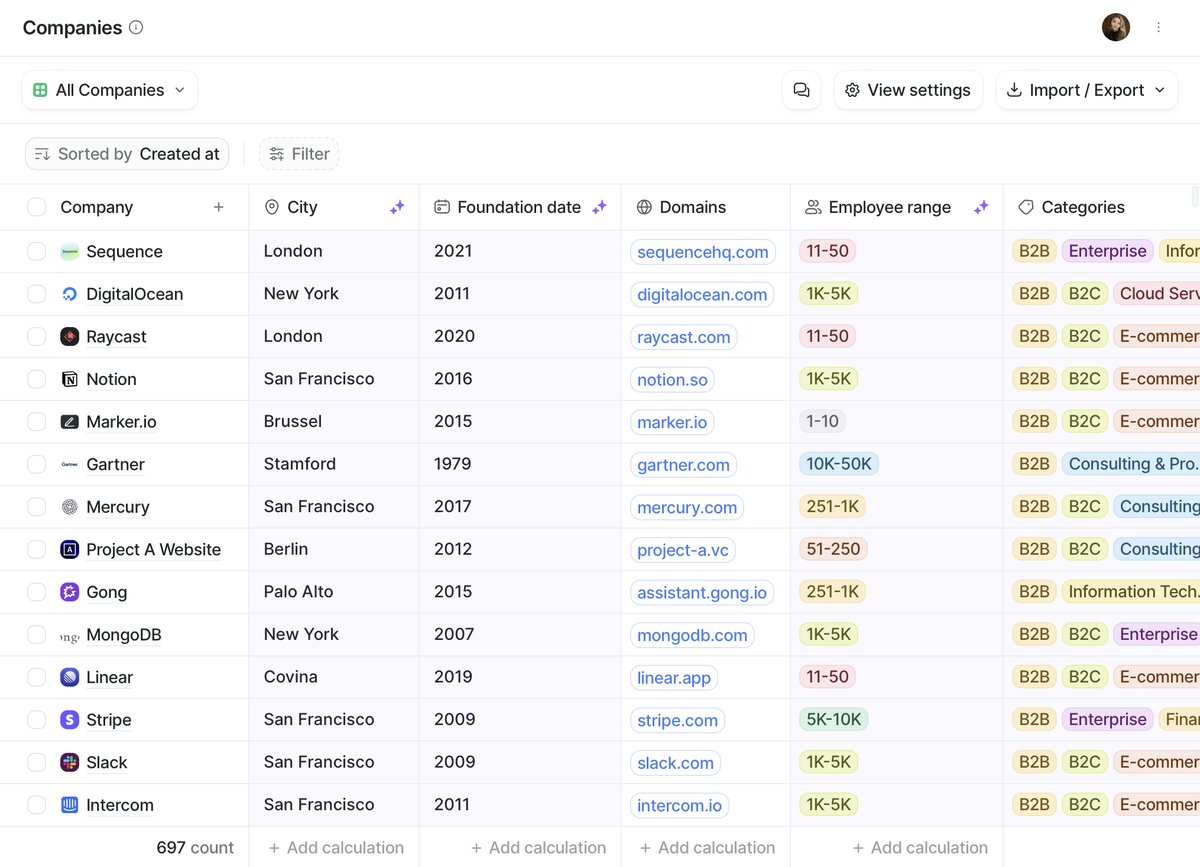 Attio's flexible data model lets SaaS companies define objects, relationships, and record structures.
The status attribute on Deals is your pipeline. It shows up as a kanban view so your sales team can drag deals between stages, and it powers filtering and reporting across the workspace. I typically recommend keeping pipeline stages tight, six or seven at most. If you need more granularity, add a select attribute for sub-stages rather than bloating the main pipeline.
For recurring revenue, put a currency attribute for MRR or ARR directly on the Company or Deal record. If you track both new business and expansions, consider separate status attributes or a select attribute to distinguish deal types. This keeps your reporting clean when you want to split new logo revenue from expansion.
The deal type distinction matters more than most teams realize. When new business and expansion deals share the same pipeline, your conversion metrics become meaningless. A renewal that moves from Proposal to Closed Won in two days is a fundamentally different motion than a new logo deal. Separate them early, either with distinct status attributes or a select attribute that lets you filter each report type independently.
Connecting records with relationships
Relationship attributes are what tie everything together. Every Deal links to a Company, and every Deal links to the People involved. Because relationship attributes show up on both sides, opening a Company record immediately shows you all associated Deals and contacts. No duplicate data entry, no stale spreadsheets. For a deeper look at when to use custom objects vs relationship attributes, see when to create a custom object in Attio.
Beyond the basic Deal-to-Company link, think about the other relationships your SaaS business needs to track. An "Account Owner" actor reference attribute on Companies tells you who manages the account relationship. A relationship attribute linking People to their role on a Deal (champion, decision maker, blocker) gives your reps context they would otherwise keep in their heads. The more structure you put into relationships, the less your team relies on tribal knowledge that walks out the door when someone leaves.
I have seen teams try to track all of this in notes fields. It never works past five reps. Structure beats free text every time for data you need to filter, sort, or report on.
Designing attributes for SaaS metrics
The attributes you put on your objects determine what you can report on and automate around. For a SaaS workspace, there is a core set that almost every team needs.
On Companies: MRR or ARR (currency), Plan Tier (select), Customer Since (date), Health Score (number or rating), Account Owner (actor reference), and Industry (select or enriched). On Deals: Deal Value (currency), Close Date (date), Deal Type (select: New Business, Expansion, Renewal), and Lead Source (select). On People: Role (select), Title (text, often enriched), and Last Activity (date, often calculated).
The key design principle is that every attribute should serve at least one of three purposes: it helps a rep prioritize their work, it feeds a report your leadership reviews, or it triggers an automation. If an attribute does not do any of those things, do not create it. Every unused attribute is noise that slows down data entry and makes your workspace harder to navigate.
Calculated attributes are particularly powerful for SaaS metrics. You can calculate total deal value across all Deals linked to a Company, count the number of open opportunities, or derive a "days since last activity" metric. These save reps from manual math and keep your data consistent.
Lists as workflow lenses
Lists give you different lenses on the same data. Set up a list for your active sales pipeline, another filtered to Closed Won deals in onboarding, and a third for customers approaching renewal. Each list can carry its own list-specific attributes (things like onboarding status or renewal date) without adding noise to your core objects.
For SaaS companies, the lists I set up most frequently are:
Active Pipeline -- all Deals with a status between Lead and Proposal. This is where your sales team lives day to day. Add list attributes for Next Step (text), Next Meeting Date (date), and Competitor (select) so reps have deal-level context without cluttering the main Deals object.
Onboarding -- Closed Won deals that are in implementation. A list-specific status attribute tracks onboarding stages: Kickoff Scheduled, Integration In Progress, Training, Live. This lets your CS team manage onboarding without interfering with the sales pipeline.
Renewals -- Companies approaching their renewal date. Filter by the renewal date attribute on the Company record, and add list attributes for Renewal Risk (select), Expansion Opportunity (currency), and Renewal Owner (actor reference).
Product-Qualified Leads -- if you are running a product-led growth motion, this list surfaces accounts that have hit your activation thresholds. Filter by your product-qualified checkbox attribute and sort by engagement score.
The key insight with lists is that they should represent a workflow, not a data category. If someone on your team would not open a list at least once a week to take action on the records in it, that list does not need to exist.
Automations for SaaS
Layer workflows on top once the data model is solid. Common automations for SaaS: route new leads to the right rep based on company size or region, send a Slack notification when a deal hits Closed Won, create a task for the CS team when a customer enters the renewal window. Workflows triggered by status attribute changes are the most reliable starting point.
Beyond the basics, here are the automations I set up for most SaaS clients:
Stale deal alerts. A workflow that checks if a Deal has been in the same stage for more than 14 days and sends a Slack message to the deal owner. This prevents pipeline rot, which is the single biggest reporting problem in SaaS CRMs. Deals that sit untouched for weeks pollute your pipeline metrics and give leadership a false sense of security.
Lead assignment by segment. Use company attributes like employee count or industry to route deals to the right team. SMB deals go to one queue, mid-market to another, enterprise to a third. This is more reliable than manual assignment and scales as your team grows.
Onboarding kickoff. When a Deal status changes to Closed Won, automatically create a task assigned to the CS team, update the Company's lifecycle stage, and add the Company to your Onboarding list. This handoff is where SaaS companies lose momentum, and automating it removes the "I thought you were handling that" gap.
Renewal reminders. Trigger a workflow 90 days before a Company's renewal date. Create a task, notify the account owner, and optionally add the Company to your Renewals list. Start at 90 days, then add 60-day and 30-day reminders as your process matures.
What I see teams get wrong
The most common mistake is over-building on day one. Teams come from Salesforce or HubSpot with a mental model of what a CRM "should" look like, and they try to replicate that complexity in Attio. Attio is designed to be lean. Start with the minimum structure and add complexity only when you have evidence that your team needs it.
The second mistake is treating the CRM as a system of record for everything. Your CRM is a system of action. It should contain the data your team needs to make decisions and take next steps. Product analytics belong in your analytics tool. Financial data belongs in your billing system. What belongs in Attio is the intersection: the data points that change how a rep or CSM behaves. If you are connecting product data, be selective about what you pull in.
The third mistake is ignoring data hygiene from the start. SaaS companies add records fast, through manual entry, integrations, imports, and enrichment tools like Clay. Without enforced unique identifiers and a plan for deduplication, your workspace becomes unreliable within months. Set the standards early.
Scaling from startup to 50 users
A workspace that works for five reps will not automatically work for fifty. As your SaaS company grows, revisit your workspace design at key inflection points: when you add a CS function, when you split into sales segments, when you hire a RevOps person, and when you start needing territory or region-level reporting.
At each stage, the question is the same: does our current structure let every team member find what they need and take action without asking someone else? If reps are Slacking each other to find out deal context, or if CS is maintaining a separate spreadsheet for renewals, your workspace has gaps.
Keep things lean at launch. Companies, People, Deals with a pipeline, relationship attributes connecting them, and two or three lists. You can add a dedicated Subscriptions object later if your post-sale operations need their own pipeline. Attio makes it straightforward to extend the data model without reworking what you have already built, so start simple and let actual usage tell you where to add structure. For the full picture on building your revenue operations in Attio, see how to build a go-to-market engine in Attio.