What should you think about before migrating from Affinity to Attio?
By Daniel Hull ·
The biggest mistake teams make is trying to recreate their Affinity setup inside Attio. Don't do that. Affinity and Attio have fundamentally different data models, and Attio's flexibility means you should be redesigning, not replicating.
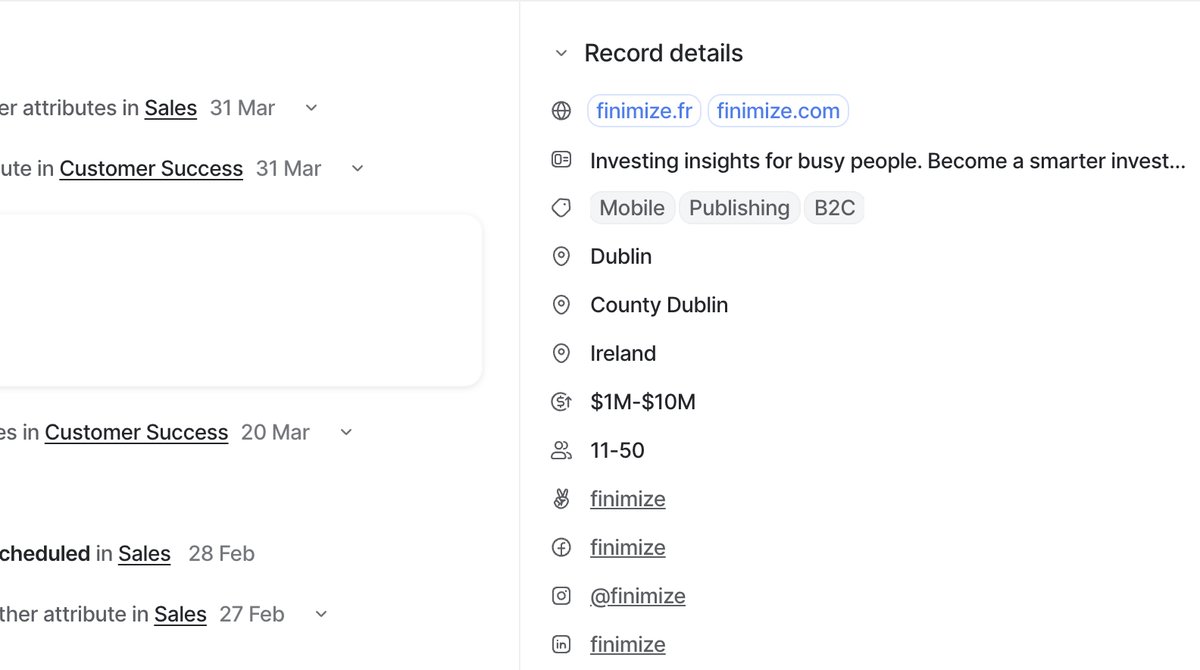 Attio auto-enriches records with company details like industry, headcount, and estimated revenue.
Rethink your data model
Start with your data model. Affinity organizes everything around lists: deals, portfolio companies, LPs, whatever you're tracking. In Attio, you need to decide what becomes a custom object and what becomes a list. A "Deals" list in Affinity almost always maps to a custom Deals object in Attio with a pipeline status attribute. Your "Portfolio Companies" list might just become a filtered list on the Companies object. Think about what deserves its own object versus what's really just a view on existing records.
The thought process I walk clients through is this: if the entity has its own lifecycle (it moves through stages, it has a distinct creation and completion event, it can exist independently of other records), it should be a custom object. If the entity is really just a label or a grouping of existing records, it should be a list with list-specific attributes.
For investment firms, Affinity lists usually map like this:
- Deals / Pipeline becomes a custom Deals object with a multi-stage pipeline status attribute
- Portfolio Companies becomes a filtered list on Companies, with list attributes for investment date, check size, and board seat holder
- LPs can go either way. If you track LP commitments and distributions as a distinct workflow, a custom LPs object makes sense. If you just need to know who your LPs are, a list on People or Companies with a few list attributes works fine.
- Sourcing / Inbound becomes either a list on the Deals pipeline (filtered to early stages) or a separate list on Companies if you track sourcing before a deal is created
Take the time to map this out before you touch any data. A whiteboard session comparing your Affinity lists to proposed Attio objects will save you from rebuilding twice.
Mapping fields and attributes
The export from Affinity is actually straightforward. Their structure is rigid enough that the data comes out clean. You'll get your people, organizations, and list entries as CSVs. The real work starts when you're mapping Affinity fields to Attio attributes. Affinity's global and list-specific fields need to become either object-level attributes or list-level attributes in Attio, and getting this wrong creates a mess that's painful to fix later.
Here is a practical mapping approach. Create a spreadsheet with four columns: Affinity Field Name, Affinity Field Type, Attio Attribute Name, and Attio Attribute Type. Go through every field in your Affinity export and decide:
- Does this field belong on the object (Company, Person) or on a list? Global fields in Affinity typically map to object-level attributes. List-specific fields map to list-level attributes in Attio.
- What is the right attribute type? Affinity dropdowns become select attributes. Affinity number fields become number or currency attributes. Affinity date fields become date attributes. Affinity person references become relationship attributes.
- Should this field exist at all? If nobody has updated a field in six months, skip it.
Pay attention to multi-value fields. Affinity lets you store multiple values in some field types. Attio handles this through multiselect attributes or through relationship attributes depending on whether you are linking to other records or storing multiple discrete values.
Relationship intelligence is where expectations need adjusting. Affinity's email and calendar sync builds a relationship strength score and interaction history that won't transfer. The good news is Attio has its own enriched attributes. It'll pull in company data, domains, social profiles, and more automatically once records exist. But Affinity's proprietary relationship scoring doesn't have a direct equivalent. If your team relies heavily on "who knows who" data, plan for that gap.
Notes and interaction history
Notes and interaction history are the trickiest part of the migration. Affinity notes export as text, but they lose their threading and association context. You can import them into Attio as notes on the corresponding records, but it takes scripting to match them correctly, especially when notes are tied to both a person and a deal. Budget time for this.
I have done enough of these migrations to know the common failure modes:
Notes with multiple associations. An Affinity note might be linked to a Person, an Organization, and a List Entry simultaneously. When you export, you get the note text but the association context is flattened. You need to decide which Attio record gets the note. My recommendation: associate notes with the most specific record. If a note is about a deal, put it on the Deal record. If it is about a relationship, put it on the Person.
Email threads. Affinity automatically logs email interactions. This data does not transfer to Attio in a usable format. The good news is that once you connect your email to Attio, it will start building its own interaction history going forward. Do not spend weeks trying to migrate historical email logs. It is not worth the effort.
File attachments. Affinity notes can contain attachments. These do not export cleanly. If you have critical files attached to Affinity notes, download them separately and store them in your team's file system or cloud storage. You can link to them from Attio notes or store file URLs as text attributes.
The practical advice: budget twice as much time for notes migration as you think you need, or accept that historical notes will be incomplete and focus on capturing the most important ones.
Planning your timeline
A realistic migration timeline depends on the size and complexity of your Affinity workspace. Here is what I typically see:
Small workspace (under 2,000 records, 3-5 lists): One to two weeks. This includes data model design, field mapping, data cleaning, import, and validation. You can likely handle this without scripting if your notes are minimal.
Mid-size workspace (2,000-10,000 records, 5-15 lists): Two to four weeks. Notes migration will require scripting. You will likely need to do multiple import rounds as you find data quality issues. Plan for a parallel running period where both systems are active.
Large workspace (10,000+ records, many lists, heavy notes): Four to eight weeks. This is a project that benefits from a phased approach. Migrate your core objects and active pipeline first, get the team comfortable with Attio, then bring over historical data in batches.
Regardless of size, I recommend this sequence:
- Design your Attio workspace structure (objects, attributes, lists). Do not import anything yet.
- Clean your Affinity data. Merge duplicates, delete dead records, standardize field values.
- Import Companies and People first. Validate that enrichment fills in the gaps.
- Import your primary pipeline (Deals or equivalent). Map status values to your new pipeline stages.
- Import notes, starting with the most recent and most important.
- Build your automations and lists.
- Run both systems in parallel for one to two weeks.
- Cut over and decommission Affinity.
What to leave behind
What to leave behind: most teams over-migrate. Old list entries from three years ago, duplicate organization records, notes that are just email forwards. Skip all of it. A migration is the best opportunity to clean house. Make sure you have a plan for handling duplicates before you import. I typically recommend only bringing over active pipeline deals, current relationship records, and notes from the last 12 months.
Specific things I tell every team to leave behind:
- Closed/dead deals older than 12 months. If you need historical reporting on these, export them to a spreadsheet and archive it. Your new CRM should not be a graveyard for old opportunities.
- People records with no email address. If you cannot identify a person by email, the record has minimal value in Attio and will likely create duplicate problems later.
- Organization records with no domain. Same logic. A company without a domain cannot be matched, enriched, or deduplicated reliably.
- Auto-logged email activity. Attio will build its own interaction history going forward. Migrating years of email logs adds bulk without value.
- Unused custom fields. If a field was empty on more than 80% of records, it was not serving a purpose. Do not recreate it.
Getting your team onboard
The technical migration is only half the challenge. Your team has built habits around Affinity's interface and workflows. Attio works differently, and those habits need to update.
Run a training session before the migration goes live. Focus on three things: how to find records (search, lists, and filters in Attio), how to update records (the attribute sidebar, inline editing), and how the new pipeline works (kanban view, status updates). Do not try to train on every feature. Get people comfortable with the daily workflow and let them discover advanced features over time.
Set clear expectations about relationship intelligence. If your team has relied on Affinity's automatic relationship scoring, they will notice its absence. Frame the transition honestly: Attio gives you richer company data, better custom objects, and more powerful automations, but the passive relationship tracking is different. Encourage reps to be more intentional about logging interactions and notes.
Finally, don't migrate and then try to learn Attio. Build your new workspace structure first, get comfortable with how custom objects, relationship attributes, and automations work, then bring the data in. The migration is the easy part. The redesign is where the value is. If you're still deciding whether to make the switch, read my comparison of Attio and Affinity for investment firms. And if you are also considering other CRM options, see my take on the best CRM for startups in 2026.