What integrations does Attio support?
By Daniel Hull ·
Attio supports native integrations with major email, calendar, and communication platforms, along with automation connections through Zapier and Make, a full REST API, webhooks, and built-in data enrichment. The integration ecosystem is smaller than Salesforce or HubSpot, but it covers the workflows that matter and the API fills most gaps.
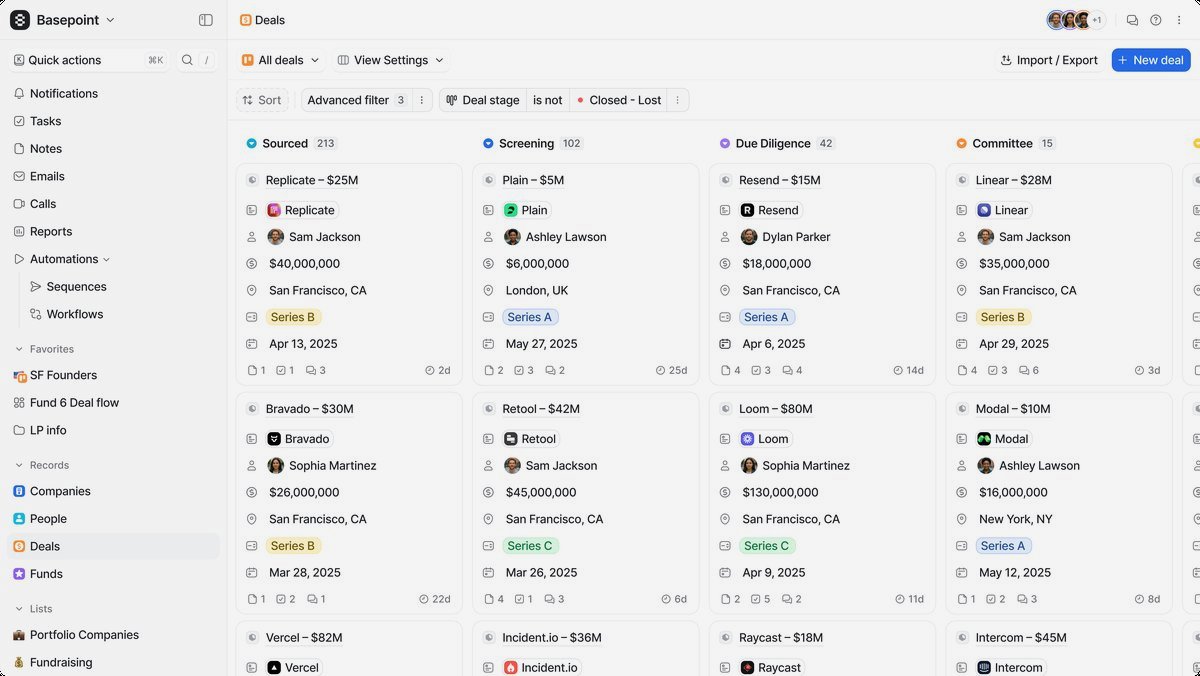 The Attio integrations page showing native connections for email, calendar, and communication tools.
Native integrations
Attio ships with native integrations for the tools most teams already use. Gmail and Outlook sync pulls your email history into the CRM automatically, creating a timeline of interactions on every person and company record. Calendar sync works the same way, linking meetings to the relevant records. These aren't just logging tools. Attio uses this data to power enriched attributes like "last interaction date" and "relationship strength" across your workspace.
Slack is the other major native integration. You can push notifications from Attio into Slack channels when deals move between pipeline stages, when records are created, or when specific attribute values change. I set this up for almost every client because it keeps the sales team informed without requiring them to live inside the CRM. If you want the details on the Slack setup, I wrote a full walkthrough on connecting Attio to Slack for deal notifications.
The native integrations are purpose-built and reliable. They're not trying to be everything. Email and calendar sync handle interaction tracking, Slack handles notifications, and Attio's built-in enrichment handles company and contact data. For anything beyond that, you move to the automation platforms or the API.
Zapier and Make connections
For teams that need to connect Attio to tools that don't have native integrations, Zapier and Make are the most accessible options. Both platforms have Attio as a supported app, which means you can build triggers and actions without writing code.
Common Zapier workflows I build for clients:
- When a form is submitted in Typeform or Webflow, create a person record in Attio and add them to a specific list
- When a deal reaches "Closed Won" in Attio, create a project in Asana or Monday and notify the onboarding team
- When a new company is created in Attio, enrich it with Clearbit or Clay data and update the record
- When a calendar event with an external participant is created, check if they exist in Attio and create them if not
Make (formerly Integromat) works similarly but gives you more control over data transformation and error handling. For teams with technical users, Make is often the better choice because it handles complex multi-step workflows more gracefully than Zapier's linear zap structure.
The limitation of both platforms is latency and volume. Zapier triggers on a polling interval (usually five minutes on standard plans), and both platforms charge by execution. For high-volume workflows, like syncing thousands of product events per day, the automation platforms get expensive fast and the API becomes the better option.
The REST API
This is where Attio really differentiates itself from other CRMs in its weight class. The API is well-documented, consistent, and covers nearly everything you can do in the UI. Records, attributes, lists, notes, tasks, and webhooks are all accessible through standard REST endpoints.
If you're building custom integrations, like syncing product usage data into Attio or creating records from an internal tool, the API is the right approach. I've written a detailed guide on using the Attio API for custom integrations that covers authentication, common patterns, and rate limits.
The API uses bearer token authentication, which is simple to set up. You create an API key in your workspace settings, include it in your request headers, and you're making calls. Rate limits are reasonable for most use cases, though if you're doing bulk operations (like a large data import), you'll want to implement backoff logic.
What I appreciate about Attio's API compared to tools like HubSpot or Salesforce is the consistency. The data model you see in the UI is exactly what the API returns. Custom objects, custom attributes, relationship attributes, they all work through the same API patterns. There's no separate system for "custom" versus "standard" entities.
Webhooks for real-time updates
Webhooks let Attio push data to your systems when something changes, rather than requiring you to poll for updates. You can subscribe to events like record creation, record updates, attribute changes, and list membership changes.
In practice, I use webhooks for two main scenarios. The first is keeping external systems in sync with Attio. If a deal status changes in Attio, a webhook fires and your backend updates its own database accordingly. The second is triggering workflows in real time: when a record hits a certain pipeline stage, the webhook fires immediately rather than waiting for a Zapier polling interval.
Setting up webhooks requires a server endpoint to receive the payloads. For teams without backend infrastructure, a tool like Pipedream or a simple serverless function on Vercel or AWS Lambda works well. The webhook payload includes the full record data, so you don't need to make a follow-up API call to get the details.
Email and sequence integrations
Attio's native email sync handles the logging side, but for outbound email sequences, you need either Attio's built-in sequence functionality or an integration with a dedicated sequencing tool. Tools like Instantly, Apollo, or Lemlist can connect to Attio through Zapier to sync sequence activity back to your CRM records.
The pattern I recommend for most teams: use Attio's built-in email features for one-to-one sales communication, and integrate a dedicated sequence tool for high-volume outbound. The sequence tool handles deliverability optimization and A/B testing, while Attio remains the system of record for relationship context.
For teams doing email-heavy workflows, make sure your integration logs sequence activity on the Attio record timeline. Without this, your team ends up switching between tools to understand the full picture of a contact relationship. The best integrations create notes or activity entries on the Attio record whenever a sequence email is sent, opened, or replied to.
Enrichment tools
Attio has built-in enrichment that automatically fills in company data (industry, headcount, revenue estimates, social profiles) when you create records. This covers a lot of basic enrichment needs without any integration work.
For more advanced enrichment, Clay is the most popular integration I see in the Attio ecosystem. Clay lets you run multi-source enrichment workflows (pulling from LinkedIn, Clearbit, Apollo, and dozens of other data providers) and push the results directly into Attio records. The combination is powerful: Clay handles the data assembly, and Attio stores the enriched records for your team to act on.
Other enrichment tools that connect well with Attio through the API or Zapier include Clearbit (now part of HubSpot, but still available as a standalone API), Apollo for contact and company data, and ZoomInfo for enterprise use cases. The key is picking one enrichment source as your primary and keeping the others supplementary. Running multiple enrichment tools without a clear hierarchy creates conflicting data that's worse than no enrichment at all.
Automations and workflow tools
Beyond external integrations, Attio's built-in automation engine handles a significant portion of what teams used to need Zapier for. You can create automations triggered by record changes, status transitions, date conditions, and more. These automations can update records, create tasks, send notifications, and trigger webhook calls.
The built-in automations are faster than Zapier (they fire immediately, not on a polling interval) and free (no per-execution charges). For workflows that stay within Attio, like auto-assigning leads based on territory, creating follow-up tasks when deals move stages, or routing deals based on attributes, use the native automations first. Reserve Zapier and Make for workflows that need to cross the boundary between Attio and external tools.
Building your integration stack
The integration strategy I recommend for most teams follows a simple hierarchy. Start with native integrations: email sync, calendar sync, and Slack. These require minimal setup and cover the core CRM use case of interaction tracking and team notification.
Next, identify the one or two external tools that are critical to your workflow. For a sales team, that might be a sequence tool and a form provider. For a VC fund, it might be a portfolio monitoring tool and a data room platform. Connect these through Zapier or Make to keep things manageable without engineering resources.
Only build API integrations when you've outgrown the automation platforms, either because of volume, latency requirements, or workflow complexity that Zapier can't handle. The API is powerful, but it requires engineering time to build and maintain. Most teams under fifty people can run entirely on native integrations and Zapier.
The mistake I see most often is teams trying to build a fully integrated tech stack before they've figured out their core CRM workflows. Get your data model right first, then layer on integrations one at a time. Each integration should solve a specific problem, not just connect tools for the sake of connectivity.